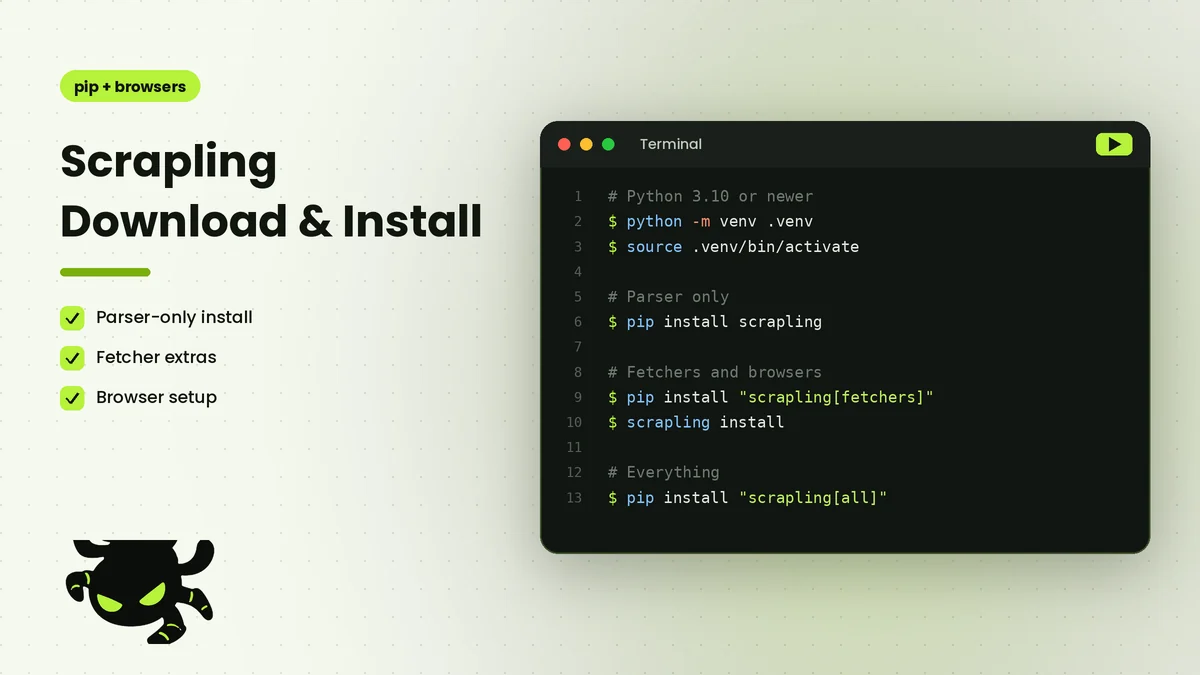
Scrapling download options are simpler than many people expect, because the framework is published as a regular Python package and its full source lives in a public GitHub repository. Instead of hunting for an installer, you choose how much of the library you need and install it with pip. This walkthrough explains each option, what the extras add and how to confirm everything works.
What You Get When You Download Scrapling
Scrapling is an open-source Python web scraping framework created by Karim Shoair and released under the BSD-3-Clause licence. A single package covers HTTP fetching, stealth browser automation, HTML parsing, adaptive element tracking and spider-based crawling, so one installation can support a small script or a larger data project.
The project is modular. A plain install gives you the parser, while optional extras unlock fetchers, the AI-facing MCP server and the interactive shell. Picking the right combination keeps your environment lean and avoids pulling in browser components you may never use.
- Parser only: selectors, CSS and XPath queries, adaptive tracking on HTML you already have
- Fetchers: HTTP requests, browser-based fetching and the spider framework
- AI extra: the MCP server for assistants and agents
- Shell extra: the interactive shell and the
extractcommand-line tools
Requirements Before You Install
The official repository lists Python 3.10 or higher as the requirement. Checking your interpreter first saves time, because an older Python version is the most common reason an installation fails or behaves unexpectedly.
A virtual environment is strongly recommended. It keeps Scrapling and its dependencies separate from system packages and from other projects, which makes upgrades and clean removals far easier.
python --version
python -m venv .venv
source .venv/bin/activate      # Windows: .venv\Scripts\activate
Installing the Core Parser
The smallest Scrapling download is the parser on its own. It suits projects where HTML already arrives from another source, such as saved files, an existing HTTP client or a data pipeline.
pip install scraplingWith this install, the Selector class is available for CSS and XPath queries. Importing scrapling.fetchers or scrapling.spiders without the fetcher extra raises a ModuleNotFoundError, which is expected behaviour rather than a broken install.
Adding Fetchers and Browser Dependencies
Most users want to retrieve pages directly, so the fetchers extra is the usual choice. After installing it, a second command downloads the browsers and system dependencies that the browser-based fetchers rely on.
pip install "scrapling[fetchers]"
scrapling install
HTTP requests made through Fetcher do not need a browser at all. The scrapling install step matters when you plan to use StealthyFetcher, browser sessions or spiders that render JavaScript. If a browser download is interrupted, scrapling install --force reinstalls the components.
Optional Extras at a Glance
Several extras can be combined in one command. The table below summarises what each one adds according to the official project documentation.
| Install command | What it adds | Typical use |
|---|---|---|
pip install scrapling | Parser and selectors | Parsing HTML you already have |
pip install "scrapling[fetchers]" | HTTP and browser fetchers, spiders | Most scraping projects |
pip install "scrapling[ai]" | MCP server | Claude, Cursor and other AI agents |
pip install "scrapling[shell]" | Interactive shell and extract command | Quick experiments without code |
pip install "scrapling[all]" | Every extra | Full development setups |
Downloading the Source from GitHub
Developers who want to read the code, test unreleased changes or contribute can clone the official repository instead. The download button on this site points to that repository.
git clone https://github.com/D4Vinci/Scrapling.git
cd Scrapling
pip install ".[fetchers]"
scrapling install
Installing from source gives you the newest code on the default branch, which may include changes that have not reached a tagged release yet. For production work, a released version from PyPI is usually the more predictable choice.
Using the Docker Image Instead
Teams that prefer containers can skip local installation entirely. The project publishes an image on Docker Hub as pyd4vinci/scrapling and on the GitHub Container Registry as ghcr.io/d4vinci/scrapling, and the image includes all extras and browsers.
Containers are useful on servers and in CI pipelines where installing browsers by hand is inconvenient. The Scrapling Docker walkthrough covers pulling and running the image in more detail.
Verifying Your Installation
A short script confirms that the package imports correctly and can fetch a page. Running it immediately after installation helps you separate setup issues from problems in your own scraping logic.
from scrapling.fetchers import Fetcher

page = Fetcher.get("https://quotes.toscrape.com/")
print(page.status)
print(page.css("title::text").get())
A status code and the page title in your terminal mean the HTTP fetcher is working. To test browser fetching as well, swap in StealthyFetcher.fetch() with the same URL after running scrapling install.
Common Installation Problems
Most failures come from the environment rather than from Scrapling itself. Checking these points usually resolves the issue quickly.
- An interpreter older than Python 3.10 is active in the terminal
- Packages were installed into a different environment than the one running your script
- Square brackets were not quoted, so the shell misread
scrapling[fetchers] - Browser dependencies were skipped, so browser fetchers cannot start
- A corporate proxy or firewall blocked the browser download step
Upgrading and Removing Scrapling
Keeping the package current brings bug fixes and new fetcher options. Upgrading with pip replaces the installed version inside the active environment, and running the browser setup again afterwards keeps the browser components matched to the new code.
Removing the framework is equally simple when a project ends. Deleting the virtual environment folder removes the package and its dependencies in one step, which is another reason to keep each project in its own environment.
pip install --upgrade "scrapling[fetchers]"
scrapling install
pip uninstall scrapling
Frequently Asked Questions
Is the Scrapling download free?
Yes. Scrapling is open-source software under the BSD-3-Clause licence, and it is installed from PyPI or GitHub at no cost. Review the licence in the repository before using it in a commercial product.
Do I need to run scrapling install every time?
No. The command is needed once per environment, or again after a major upgrade if browser components change. Use scrapling install --force when you want a clean reinstall.
Can I install Scrapling without the browser components?
Yes. Install the fetchers extra and simply use Fetcher for HTTP requests. Browser components are only required for the browser-based fetchers and sessions.
Conclusion
Scrapling download and setup come down to a few clear decisions: confirm Python 3.10 or newer, create a virtual environment, choose the extras that match your project and run scrapling install if you need browsers. With a quick verification script, you can move straight to building your first scraper. The how to use Scrapling tutorial is a natural next step.